
How to Evaluate Conversational Analytics Software
Use one business question to compare the answer, the supporting work and the handoff to your team.
Download the evaluation kit
Use the guide, workbook and reference data to compare tools on the same dispatch question. The workbook also includes a blank question card for a pilot using your own approved data.
- Download PDF guide
Evaluation guide
Set the counting rules, inspect the answer and record a decision your team can review.
PDF · 8 pages - Download Excel workbook
Evaluation workbook
Compare observed results with the checked reference and keep evidence, conditions and owners with the decision.
Excel · 4 worksheets - Download reference pack
Reference pack
Use the order and dispatch CSVs, agreed rules and checked results to run the same reference case.
ZIP · 5 CSVs and instructions
Evaluate conversational analytics software by taking the same business question through each tool: check the answer against a trusted comparison, inspect the supporting work, ask a further question and review what a colleague receives. A convincing demonstration is a starting point; a useful pilot shows whether the workflow fits your data and your team.
Define the job before comparing features
This guide covers conversational analytics for company data, also described as conversational business intelligence or natural language analytics. People ask questions about measures such as orders, inventory or service performance, then investigate the results. Products that analyze customer calls and chat transcripts serve a different job, even though the category names can overlap.
Choose a recurring question that someone needs to answer for an actual decision. Include the business user who will ask it and the person who understands the underlying records. They may be the same person in a small team.
If a current report already answers the question clearly, use it as a comparison. The pilot should test where conversation helps the team explore further, rather than reproduce a report for its own sake.
Write a test card that every tool receives
Consider an operations team reviewing late dispatches. Its first question is:
For orders originally promised for dispatch in October, how many missed that date? Show the count, total orders and late rate by warehouse. Include orders still open at the review date and show cancellations separately.
Before running the test, agree on the meaning of an order, the treatment of partial dispatches, the review date and the time zone. Keep the original promise distinct from a revised date. Decide how cancellations affect the denominator. Check whether historical records support those rules.
Write down the question, the required records, the counting rules, a checked reference result and who will review it. Use the same scope across tools. A different date range or population can produce a different answer without either calculation being wrong.
Keep missing dates and unmatched records visible. An apparently complete result should not hide a group that could not be evaluated.
Check the number and the route to it
Compare the result with the checked reference. If the totals differ, investigate the selected records, filters, dates and calculations before judging the software. A reference report can also contain an error.
Ask the reviewer to explain how the output was produced using the material the tool exposes. Depending on the product, that may include source details, calculations, queries or process steps. Decide which level of inspection your users need and which issues require a data specialist.
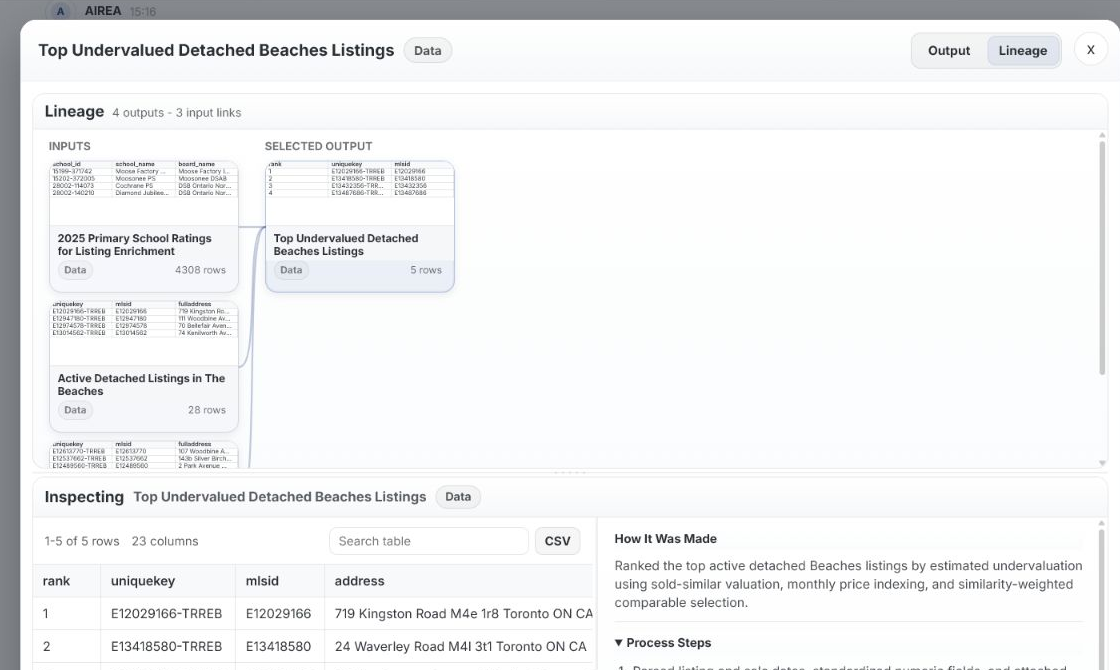
In AIREA, users can open generated charts, tables and summaries, then review how an output was created through process steps in Lineage View. That makes the work inspectable; the reviewer still needs to check whether it answers the intended question.
Follow an answer into a harder question
Use a further question that changes one part of the investigation:
For the warehouse with the highest late rate, split the result by order type. Show the order count and late rate for each group, using the same counting rules.
Check whether the comparison retains the intended period and definitions. A high percentage from a small group deserves different attention from a similar rate across many orders. Inspect the counts alongside the percentages.
Then ask a question the available data cannot fully settle, such as whether staffing caused the delay when staffing records are absent. Check whether the response identifies the missing evidence and keeps a possible explanation separate from an established cause. Fluent wording does not resolve missing data.
Review the handoff to another person
Ask a colleague who did not run the investigation to review the result. Can they identify the population, period, measure definitions, supporting outputs and unresolved questions? Can they tell what the analysis supports and what still needs checking?
In AIREA, the user pins relevant outputs as evidence, adds Key Context and generates an Analysis Result. The current result can be shared with that evidence and context attached. If either changes, the result must be generated again before sharing.
Use the colleague's questions to judge the handoff. A result is more useful when the next reviewer can understand its basis without reconstructing the whole conversation.
Confirm deployment and the cost of real usage
Before choosing software, confirm the data sources involved, the access each user needs, where the system will run and who will maintain the data definitions. Ask the supplier to demonstrate the required setup rather than assume that a listed capability covers your environment.
AIREA is designed to be deployed where company data lives, including deployment on premises or in the cloud. Specific data sources, access requirements and deployment arrangements need to be discussed for the proposed pilot.
Compare costs using the workflow you actually tested, including further questions and review. For a product with usage credits, ask how those activities consume capacity and what happens when it runs out. Do not assume that one question always uses one credit or that a seat price represents the full deployment cost.
Record a decision you can explain
For each test, record the question, result, evidence reviewed, discrepancy, help needed and remaining limitation. Mark it accepted, accepted with a stated condition, or unresolved. Write the condition plainly, such as needing a reliable historical promise date before the dispatch comparison can be used.
Choose the workflow your intended users can operate and review with the support available to them. Keep the test questions so the team can check the workflow again when relevant data or definitions change.
To evaluate AIREA, bring the test card to a pilot conversation. Start with the question and the evidence needed to accept its answer, then work through Explore, Analyze, Share with your team.
Bring your next business question.
Explore how AIREA could fit the way your team works.
Join the pilot